







You've found the perfect song to remix.
The beat is incredible. The melody works perfectly for your project. The vocals would be amazing to sample. There's just one problem: you need those vocals isolated from the instrumental track.
Or maybe you're creating a karaoke version. Or sampling vocals for a beat. Or removing vocals for a backing track.
You search for “acapella extractor” and find dozens of options. AI-powered services. Desktop software. Free tools. Plugins. Online platforms. Prices ranging from free to $400. Quality claims from “studio-grade” to “experimental.”
This is where most producers, DJs, and content creators hit a wall.
Which acapella extractor actually delivers clean vocal isolation? Which tools leave artifacts and bleed-through? Which are worth paying for versus free alternatives? And how do you even know if an extractor will work on your specific song?
The stakes are real: choosing poorly means wasting money on unusable vocal tracks, or spending hours manually cleaning up messy extractions.
This comprehensive guide reviews and compares every major acapella extraction tool available in 2025, from AI-powered cloud services to professional desktop software to open-source solutions.
We'll cover:
- What acapella extractors actually do (and their limitations)
- Detailed reviews of the top 7 tools with real-world testing
- Side-by-side comparison of quality, pricing, and features
- How to choose the right tool for your specific needs
- Technical factors affecting extraction quality
- Step-by-step guide to extracting vocals
- Common problems and how to fix them
- Free vs. paid: when to upgrade
This guide will help you choose the best acapella extractor for your project and budget.
Let's separate those vocals.
Acapella extractors are software tools that separate vocal tracks from instrumental music, allowing you to isolate the singing/rapping and remove everything else (or vice versa—extract just the instrumental).
The Technology Behind Vocal Isolation
Modern acapella extractors use two main approaches:
1. AI/Machine Learning (Modern Standard)
How it works:
- Neural networks trained on thousands of songs
- Learns to recognize vocal vs. instrumental characteristics
- Analyzes frequency patterns, spatial positioning, and spectral content
- Separates audio into distinct “stems” (vocals, drums, bass, other)
Advantages:
- Highest quality results
- Works on complex, modern productions
- Minimal artifacts on good recordings
- Continuously improving through training
Examples: LALAL.ai, PhonicMind, Spleeter, Acapella Extractor
2. DSP (Digital Signal Processing) Algorithms
How it works:
- Uses phase cancellation and frequency filtering
- Identifies center-panned vocals (stereo difference)
- Applies spectral subtraction
- Filters frequency ranges typical of vocals
Advantages:
- Real-time processing possible
- Works in plugins (VST/AU)
- Lower computational requirements
- Good for live DJ use
Disadvantages:
- Lower quality than AI methods
- Struggles with modern productions
- Leaves more artifacts
- Limited to simple mixes
Examples: XTRACKTOR, older Audacity methods
What Acapella Extractors CAN Do:
✅ Isolate lead vocals from most commercial music
✅ Create backing tracks (instrumentals without vocals)
✅ Extract individual stems (vocals, drums, bass, other instruments)
✅ Work on various genres (pop, rock, hip-hop, EDM)
✅ Handle stereo and mono recordings
✅ Preserve audio quality (with high-end tools)
What They CANNOT Do (Limitations):
❌ Perfect isolation on every song – Some tracks are harder than others
❌ Separate blended backing vocals – Harmonies often stick to lead or instruments
❌ Remove 100% of all instruments – Minor bleed-through is normal
❌ Work miracles on lo-fi recordings – Input quality matters
❌ Separate multiple lead vocalists cleanly – Duets are challenging
❌ Extract from extremely compressed audio – YouTube rips have limitations
Realistic expectation: Even the best tools produce 85-95% clean isolation, not 100% perfect stems.
Reviews of Top Acapella Extractors
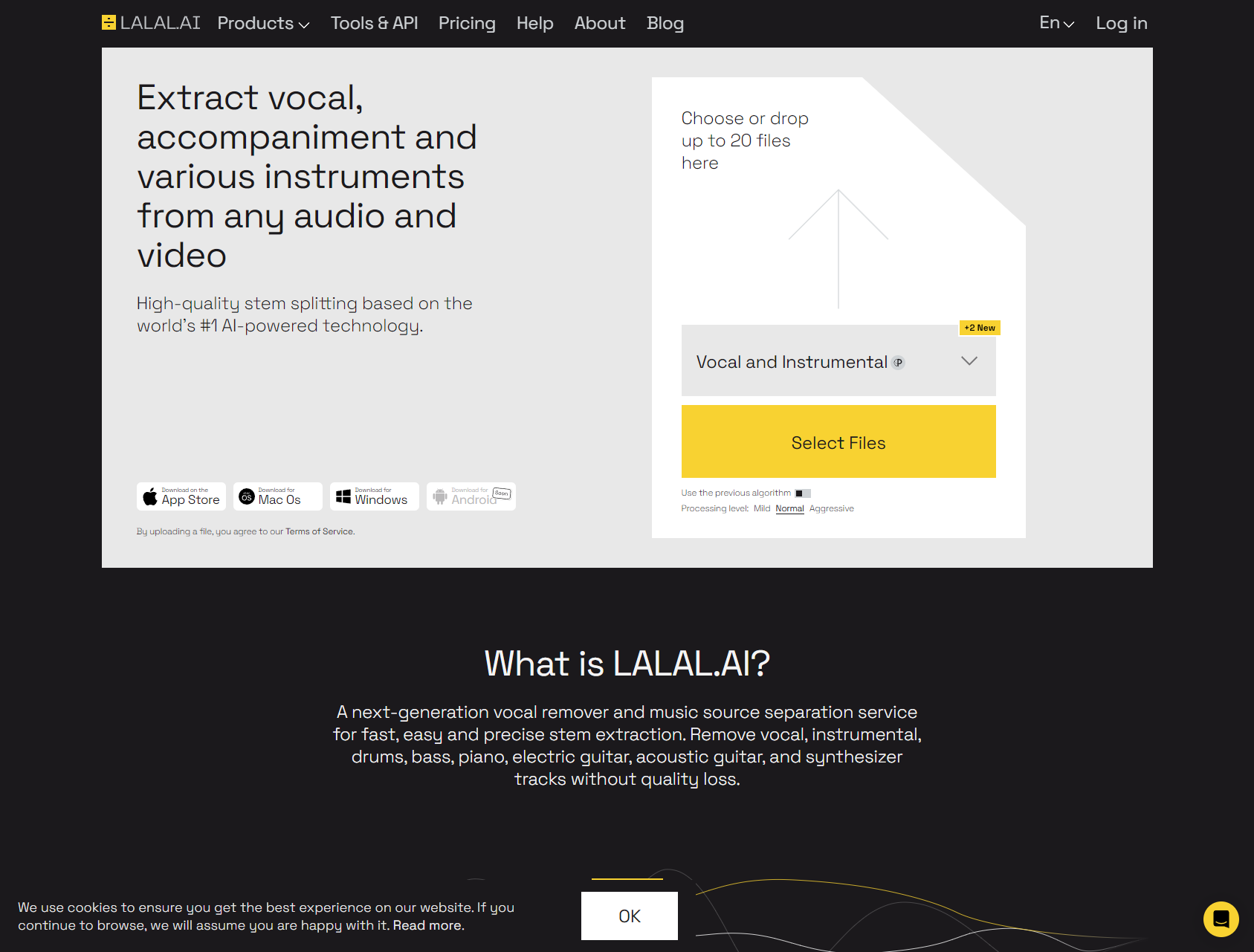
LALAL.ai – Best Overall Quality
Website: lalal.ai
Type: AI-powered cloud service
Pricing: $15 for 90 minutes (~18 tracks), $25 for 300 minutes (~60 tracks), $35 for 500 minutes (~100 tracks)
Trial: 10 minutes free
Why it's the best overall:
LALAL.AI consistently delivers the highest-quality vocal extractions available today. Using advanced neural networks trained specifically for stem separation, it handles complex modern productions that would stump older tools.
Strengths:
Exceptional separation quality:
- Cleanest vocal isolation in testing
- Minimal instrumental bleed-through
- Preserves vocal clarity and stereo imaging
- Handles dense mixes (layered synths, orchestral, etc.)
- Works across all genres (tested on pop, rock, EDM, hip-hop, metal)
Advanced stem options:
- Extract vocals, drums, bass, piano, and “other” separately
- Two-stem (vocal + instrumental) or multi-stem options
- Can isolate specific instruments beyond just vocals
- Useful for full remix projects
User-friendly interface:
- Simple drag-and-drop upload
- Processing typically takes 2-4 minutes per song
- Preview results before downloading
- Batch processing for multiple files
High-fidelity output:
- Exports as WAV, MP3, FLAC, or other formats
- Maintains original sample rate and bit depth
- Studio-quality results suitable for professional use
- Minimal audio artifacts or phase issues
Weaknesses:
- Pricing model: Per-minute pricing can get expensive for heavy users
- No real-time processing: Upload and wait (though usually fast)
- Requires internet: Cloud-based, can't work offline
- File size limits: 2GB per file maximum
Best for: Producers and DJs who need professional-quality vocal isolation and don't mind paying for premium results.
Our verdict: ⭐⭐⭐⭐⭐ (5/5)
The gold standard for acapella extraction. If you need the cleanest possible vocals and professional results, LALAL.AI is worth the investment.
PhonicMind
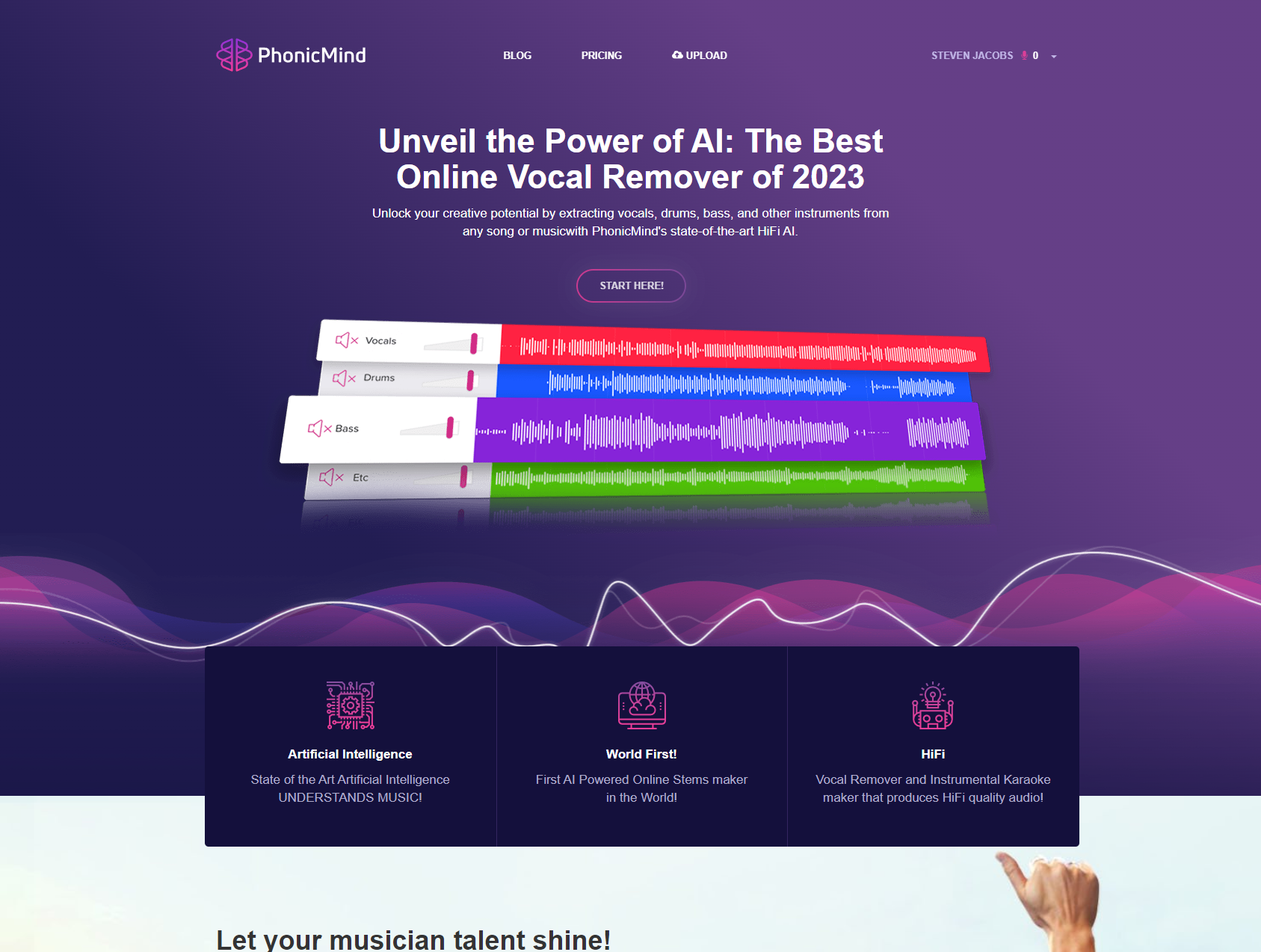
Unlock your creative potential by extracting vocals, drums, bass, and other instruments from any song or musicwith PhonicMind's state-of-the-art HiFi AI.
Website: phonicmind.com
Type: AI-powered cloud service
Pricing: $7.99 per song (HiFi AI), various packages available
Trial: Limited free processing
What makes it competitive:
PhonicMind delivers professional-quality stem separation using their “HiFi AI” technology, with competitive pricing and reliable results across various music genres.
Strengths:
Solid AI separation:
- High-quality vocal isolation
- Good handling of complex mixes
- Works well on modern productions
- Competitive with premium options
Fast processing:
- Results typically in 1-3 minutes
- Quick turnaround for urgent projects
- Batch processing available
- Reliable uptime and service
Multiple output options:
- Vocal and instrumental stems
- Can also extract drums and bass
- Various format options
- Lossless quality available
Reasonable pricing:
- $7.99 per song is mid-range
- Package deals reduce per-song cost
- Monthly plans for heavy users
- Good value for quality delivered
Weaknesses:
- Slightly behind LALAL.AI quality: Not quite the cleanest separation
- Interface less polished: Functional but not as slick as competitors
- Occasional artifacts: On particularly dense mixes
- Customer support: Less responsive than premium services
Best for: Users who want professional results without premium pricing, and process songs regularly enough to benefit from package deals.
Our verdict: ⭐⭐⭐⭐ (4/5)
Excellent value proposition. Quality is very good (though not quite LALAL.AI level) at a more accessible price point.
Acapella Extractor
Website: acapellaextractor.com
Type: AI-powered cloud service
Pricing: $4.99 per song
Trial: None (pay per song)
What makes it special:
Acapella Extractor is purpose-built specifically for vocal isolation, not general stem separation. This focused approach delivers excellent results at a lower price point than LALAL.AI.
Strengths:
Specialized vocal isolation:
- AI trained specifically for acapella extraction
- Excellent vocal clarity and detail preservation
- Minimal artifacts on lead vocals
- Handles challenging mixes well
Simple, focused workflow:
- Upload song, get acapella back
- No complicated stem options (just vocals)
- Fast processing (typically under 3 minutes)
- Preview before downloading
Affordable pricing:
- $4.99 per song is competitive
- Good value for occasional use
- No subscription required
- Pay only for what you need
Quality results:
- Rivals LALAL.AI in vocal-only extraction
- Clean, professional-grade outputs
- Minimal tweaking needed
- Works across diverse genres
Weaknesses:
- Vocals only: Can't extract drums, bass, or other stems separately
- No free trial: Must pay to test
- Less known: Smaller user base than competitors
- Basic features: No advanced controls or editing
Best for: Users who specifically need vocal isolation (not full stem separation) and want quality results at a reasonable price.
Our verdict: ⭐⭐⭐⭐½ (4.5/5)
Excellent vocal extraction quality at a fair price. Limited to vocals only, but does that job extremely well.
Think your company should be included in this list? Contact us here.
iZotope RX 9
Website: izotope.com
Type: Desktop software (Windows/Mac)
Pricing: $399 (Standard), $1,199 (Advanced)
Trial: 30-day free trial
What makes it professional-grade:
RX 9 is a comprehensive audio repair and editing suite used by professional audio engineers, film editors, and mastering studios. Vocal isolation is just one of its many powerful features.
Strengths:
Professional audio tools:
- Music Rebalance module for vocal extraction
- Dialogue Isolate for speech separation
- Spectral editing capabilities
- Comprehensive audio repair tools
Highest level of control:
- Manual refinement of extraction
- Visual spectral editing
- Multiple processing modules
- Surgical precision possible
Offline processing:
- No internet required
- Unlimited extractions once purchased
- Real-time preview
- Integration with DAWs
Studio-quality results:
- Exceptional audio fidelity
- Minimal artifacts with proper use
- Maintains stereo imaging
- Professional broadcast standards
Comprehensive suite:
- Noise reduction
- De-reverb
- Spectral repair
- Restoration tools
- Useful for audio engineers beyond just vocal extraction
Weaknesses:
- High cost: $399 is a significant investment
- Steeper learning curve: More complex than simple upload services
- Requires more manual work: Not fully automatic like AI services
- Desktop only: Can't use on mobile or tablets
Best for: Professional audio engineers, sound designers, and serious producers who need comprehensive audio editing tools beyond just vocal extraction.
Our verdict: ⭐⭐⭐⭐⭐ (5/5) for professionals
If you're a professional audio engineer or do extensive audio work, RX 9 is worth every penny. For casual users needing occasional vocal extraction, it's overkill and too expensive.
XTRACKTOR
Website: beatextraction.com
Type: VST/AU plugin
Pricing: ~$40-60 (one-time purchase)
Trial: Demo version available
What makes it unique:
XTRACKTOR is designed specifically for DJs and live performers who need real-time vocal extraction during performances or while preparing sets in their DAW.
Strengths:
Real-time processing:
- Instant vocal isolation as audio plays
- No waiting for processing
- Live performance capability
- Perfect for DJ sets
Plugin integration:
- Works in Ableton Live, FL Studio, Logic, etc.
- VST and AU formats
- Integrates into existing workflow
- Use alongside other effects
DJ-focused workflow:
- Designed for quick extraction
- Simple controls
- Low latency
- Performance-oriented
One-time purchase:
- Pay once, use unlimited
- No per-song costs
- No subscription
- Affordable for professionals
Weaknesses:
- Lower quality than AI tools: Uses DSP, not modern AI
- Artifacts common: Not clean enough for professional releases
- Works better on older music: Struggles with modern dense mixes
- Limited to real-time use: Not ideal for high-quality studio extraction
Best for: DJs and live performers who need instant vocal isolation during performances or quick edits, and can accept lower quality than studio tools.
Our verdict: ⭐⭐⭐ (3/5)
Fills a specific niche (real-time DJ use) but outclassed by AI tools for studio work. Worth it if you need real-time capability.
Spleeter by Deezer
Website: github.com/deezer/spleeter
Type: Open-source software (command line/Python)
Pricing: FREE (open source)
Trial: N/A (completely free)
What makes it remarkable:
Spleeter is an open-source AI model released by Deezer Research that delivers surprisingly good stem separation for a completely free tool. It's powered by deep learning and requires some technical knowledge.
Strengths:
Completely free:
- No cost whatsoever
- Open source (can modify code)
- No usage limits
- Process unlimited songs
Powerful AI technology:
- Uses pretrained neural networks
- Multiple stem options (2, 4, or 5 stems)
- Surprisingly good quality for free
- Actively maintained and updated
Flexible:
- Can be integrated into custom workflows
- Python library for developers
- Various community GUIs available
- Works on any OS (Windows, Mac, Linux)
Educational:
- Learn about AI stem separation
- Understand underlying technology
- Experiment with models
- Great for students and researchers
Weaknesses:
- Technical setup required: Command line interface by default
- Not user-friendly: Requires Python knowledge
- Quality behind paid tools: Good but not LALAL.AI level
- Manual work needed: Results often need cleanup
- No support: Community-driven only
Best for: Technical users comfortable with command line tools, students, researchers, and anyone wanting free vocal extraction who can tolerate the technical barrier.
Our verdict: ⭐⭐⭐⭐ (4/5) considering it's free
Remarkable quality for a free, open-source tool. The technical barrier is real, but the value proposition is unbeatable.
Note: Several GUI applications have been built around Spleeter to make it more user-friendly, including online implementations.
Acapella Extractor Comparison
| Software | Price | Quality | Speed | Interface | Output Options |
|---|---|---|---|---|---|
| LALAL.ai | Per Track | Exceptional | 24hr turnaround | Simple | Isolated vocal/instrumental stems |
| Acapella Extractor | Per Track | Excellent | Real-time preview + export | Simple | Isolated vocal file |
| iZotope RX 9 | $399 one-time | Excellent | Real-time preview + export | Intuitive | Isolated vocal file |
| Lalal.ai | Per minute | Excellent | 5-20 min turnaround | Simple | Isolated vocal file |
| PhonicMind | Per Track | Excellent | 1 min+ turnaround | Simple | Isolated vocal & instrumental files |
| XTRactor | $40+ one-time | Good | Real-time as plugin | DJ-focused | Isolated vocal file |
| Spleeter | Free | Very Good | 15 sec+ processing | Command line | Separated stems files |
Quality Breakdown:
Tier 1 – Professional Studio Quality:
- LALAL.AI
- iZotope RX 9
- Acapella Extractor
Tier 2 – High Quality (Minor artifacts):
- PhonicMind
- UVR (with best models)
Tier 3 – Good Quality (Noticeable artifacts):
- Spleeter
- XTRACKTOR
Use Case Recommendations:
“I need the cleanest possible vocals for a professional remix”
→ LALAL.AI or iZotope RX 9
“I want good quality but need to save money”
→ PhonicMind or Acapella Extractor
“I need it free and I'm not super technical”
→ UVR (Ultimate Vocal Remover)
“I need it free and I know Python/command line”
→ Spleeter
“I'm a DJ and need real-time extraction”
→ XTRACKTOR
“I'm a professional audio engineer and need full control”
→ iZotope RX 9
“I just want to make a karaoke version of one song”
→ Acapella Extractor or PhonicMind
Factors Affecting Extraction Quality
Not all songs extract equally well. Here's why:
1. Original Mix Quality
Best results:
- Modern professional studio recordings
- Clean, well-balanced mixes
- Uncompressed audio files (WAV, FLAC)
- High sample rate (44.1kHz or higher)
Poor results:
- Low-bitrate MP3s (128kbps or lower)
- YouTube rips with compression
- Lo-fi or deliberately distorted recordings
- Overly compressed masters
2. Vocal Positioning in Mix
Easier to extract:
- Center-panned lead vocals
- Solo vocalist (one person)
- Vocals mixed prominently
- Clear vocal presence
Harder to extract:
- Multiple lead vocalists (duets, groups)
- Harmonies and backing vocals
- Vocals panned left/right
- Vocals buried in dense mix
3. Instrumentation Complexity
Easier to separate:
- Simple arrangements (guitar, bass, drums, keys)
- Clear frequency separation
- Traditional band instrumentation
- Older recordings (less dense)
Harder to separate:
- Orchestral arrangements (many instruments)
- Dense electronic music (layered synths)
- String sections overlapping vocal range
- Modern “wall of sound” productions
4. Vocal Effects
Easier to extract:
- Dry or lightly processed vocals
- Minimal reverb/delay
- No heavy harmonization
- Clean vocal recording
Harder to extract:
- Heavy reverb or delay
- Vocoder or auto-tune effects
- Layered harmonies
- Doubled/tripled vocals
5. Genre Considerations
Best results typically:
- Pop (clean, vocal-focused)
- Hip-hop (clear vocals over beats)
- R&B (prominent vocals)
- Country (traditional mixes)
More challenging:
- Metal (dense instrumentation, distortion)
- Jazz (complex harmonies)
- Classical/orchestral (many overlapping instruments)
- Experimental electronic (intentional blending)
Step-by-Step: How to Extract Acapellas
Using cloud-based AI tools (LALAL.AI, PhonicMind, Acapella Extractor):
Step 1: Prepare Your Audio File
Get the highest quality source possible:
- Purchase from iTunes, Beatport, or Bandcamp (not YouTube)
- Use WAV or FLAC if available
- Minimum: 320kbps MP3
- Verify file isn't corrupted
Tip: Better input = better output. Don't use YouTube rips if you can avoid it.
Step 2: Choose Your Tool and Create Account
For LALAL.AI:
- Visit lalal.ai
- Create free account
- Get 10 minutes free processing
- Purchase credits if needed
For PhonicMind/Acapella Extractor:
- Similar process
- Some require payment upfront
- No free trials on some platforms
Step 3: Upload Your Song
Most platforms:
- Drag and drop file to upload area
- Or click “Upload” and browse
- Wait for upload to complete
- File size limits typically 2GB
Processing begins automatically after upload on most platforms.
Step 4: Select Separation Options
On LALAL.AI:
- Choose “Vocal and Instrumental” (2-stem)
- Or select specific stems (5-stem: vocal, drums, bass, piano, other)
- Adjust extraction strength if option available
On simpler tools:
- Usually automatic (just vocals)
- Limited customization
Step 5: Wait for Processing
Typical processing times:
- LALAL.AI: 2-4 minutes per song
- PhonicMind: 1-3 minutes
- Acapella Extractor: 1-3 minutes
What's happening: AI analyzes the audio and separates stems using trained neural networks.
Step 6: Preview Results
Most platforms allow preview:
- Listen to extracted vocal
- Check for artifacts or bleed-through
- Verify quality meets needs
- If poor results, try different tool or better source file
Step 7: Download Separated Files
Download options:
- Vocal only (acapella)
- Instrumental only (backing track)
- Both separately
- Multiple stems if available
Format options:
- WAV (lossless, large file)
- FLAC (lossless, smaller)
- MP3 (lossy, smallest)
- AAC/M4A (lossy)
Recommendation: Download as WAV for professional use, MP3 for casual listening.
Step 8: Import Into Your Project
For music production:
- Import acapella into your DAW (Ableton, FL Studio, Logic, etc.)
- Time-stretch if tempo doesn't match your project
- Process as needed (EQ, compression, etc.)
For karaoke:
- Use instrumental track
- Add lyrics overlay in video editor
- Sync with visuals
For sampling:
- Chop and arrange vocal sections
- Pitch-shift if needed
- Layer into your beat
Common Problems and Solutions
Troubleshooting extraction issues:
Problem 1: Instrumental Bleed-Through
Symptoms: You can still hear drums, bass, or other instruments faintly in the “vocal-only” track.
Solutions:
- Try a different tool (LALAL.AI often cleanest)
- Use higher quality source file
- Check if song has unusual mixing (some instruments panned with vocals)
- Use iZotope RX 9 for manual spectral editing to remove remaining instruments
Reality check: Some bleed-through is normal, especially on dense mixes. 100% perfect isolation is rare.
Problem 2: Vocals Sound Thin or Hollow
Symptoms: Extracted vocals lack body, sound tinny, or missing bass frequencies.
Solutions:
- This often happens when AI removes too aggressively
- Try different extraction strength settings
- Use EQ to boost low-mids (200-500Hz)
- Add subtle saturation to restore harmonics
- Check if multiple vocal layers were separated incorrectly
Problem 3: Artifacts and Glitches
Symptoms: Weird digital artifacts, chirping sounds, phase issues, or robotic-sounding vocals.
Solutions:
- Try higher quality source file (compression artifacts in input = artifacts in output)
- Use different tool (some handle specific songs better)
- Check if song has unusual production (heavy auto-tune, vocoder, etc.)
- Try ensemble mode in UVR (combines multiple models to reduce artifacts)
Problem 4: Backing Vocals Remain
Symptoms: Harmony vocals or background singers still present in “vocal” track.
Solutions:
- This is very common—hard to separate lead from harmonies
- Some tools do better than others (LALAL.AI often best)
- Manual spectral editing in RX 9 can help
- Accept that some backing vocals will remain
Reality: Cleanly separating lead vocals from tight harmonies is one of the hardest challenges in stem separation.
Problem 5: Lost Vocals in Breakdown Sections
Symptoms: Vocals disappear or become very quiet in certain sections (usually quieter parts of song).
Solutions:
- AI sometimes struggles with very soft vocals
- Try different tool
- Manually boost those sections in post-processing
- Use original mix for reference to find lost vocals
Free vs. Paid: When Should You Upgrade?
Decision framework:
Stick With Free Tools If:
✅ You only need occasional vocal extraction
✅ Quality doesn't need to be perfect
✅ You're comfortable with technical setup
✅ You have time for manual cleanup
✅ You're learning/experimenting
✅ Budget is absolutely $0
Best free options: UVR, Spleeter
Upgrade to Paid Tools If:
✅ You need professional, clean results
✅ Time is valuable (don't want to fiddle with settings)
✅ You extract vocals regularly
✅ You're making money from remixes/content
✅ You want simple, reliable workflow
✅ You can afford $5-15 per song
Best paid options: LALAL.AI, PhonicMind, Acapella Extractor
Consider Professional Software If:
✅ You're a professional audio engineer
✅ You need comprehensive audio repair tools
✅ You want maximum control
✅ You process audio beyond just vocal extraction
✅ One-time investment makes sense ($400+)
Best professional option: iZotope RX 9
Advanced Tips for Better Extractions
Pro techniques:
1. Start With the Best Source
Quality hierarchy (best to worst):
- ✅ Uncompressed WAV/FLAC from official source
- ✅ 320kbps MP3 from iTunes/Beatport
- ⚠️ 256kbps AAC from streaming services
- ⚠️ 192kbps MP3
- ❌ 128kbps MP3 or lower
- ❌ YouTube audio rip
Invest in quality: Better source = better extraction. Always.
2. Try Multiple Tools
Different tools excel at different songs:
- Extract same song with LALAL.AI and PhonicMind
- Compare results
- Use the better extraction
- Some songs just work better with specific algorithms
3. Use Ensemble/Multi-Model Approaches
In UVR:
- Ensemble mode combines multiple AI models
- Averages results to reduce artifacts
- Takes longer but often cleaner results
- Worth the wait for important projects
4. Post-Processing Cleanup
After extraction:
- Use EQ to remove remaining instrumental frequencies
- High-pass filter to remove rumble
- Gentle noise reduction for artifacts
- Subtle compression to even dynamics
- Reference original mix to match tonality
5. Spectral Editing for Surgical Precision
Using iZotope RX 9 or similar:
- Visually identify and remove instrumental bleed
- Paint out specific frequency/time artifacts
- Surgical precision impossible with automatic tools
- Time-consuming but produces cleanest results
Use Cases: What Can You Do With Extracted Acapellas?
Practical applications:
1. Remixing and Music Production
Most common use:
- Extract vocals from your favorite songs
- Create remix using original vocals
- Build new instrumental around acapella
- Tempo-shift and pitch-shift as needed
Legal note: Unofficial remixes may violate copyright. Check licensing before commercial release.
2. DJ Edits and Mashups
Live performance:
- Create acapella intro/outro versions
- Mix acapellas over different instrumentals
- Create unique mashups
- Build DJ-specific edits
3. Karaoke and Backing Tracks
Reverse use (extract instrumental):
- Create karaoke versions of any song
- Generate backing tracks for live performance
- Practice singing with professional instrumentals
- YouTube karaoke channels
4. Vocal Sampling
Hip-hop and electronic production:
- Sample vocal phrases from songs
- Chop and rearrange
- Pitch and time-stretch
- Create unique vocal hooks
5. Learning and Practice
Educational use:
- Study vocal production techniques
- Practice mixing by rebuilding mixes
- Learn from professional vocal recordings
- Analyze vocal processing
6. Content Creation
Video and streaming:
- Remove vocals from copyrighted music for background
- Create vocal-only clips for reaction videos
- Edit music for specific video needs
- Podcast intro/outro music
7. Cover Songs and Tributes
Musicians:
- Remove original vocals to sing your own
- Maintain original instrumental quality
- Create tribute versions
- Practice with professional backing tracks
Frequently Asked Questions
Are acapella extractors legal to use?
The software itself is legal. However, using extracted vocals commercially may violate copyright laws. Extracting vocals for personal use, practice, or education is generally fine. Creating unofficial remixes for commercial release without permission violates copyright. Always get proper licensing for commercial projects.
How clean can extracted vocals actually get?
Modern AI tools like LALAL.AI can achieve 85-95% clean isolation on well-produced songs. You'll rarely get 100% perfect separation—minor instrumental bleed or artifacts are normal. The best tools minimize this to nearly imperceptible levels on good source material. Expecting perfection will lead to disappointment.
Can you extract vocals from YouTube videos?
Yes, but quality will be limited. YouTube compresses audio significantly, which reduces extraction quality. You'll get better results from purchased high-quality files (WAV, FLAC, or 320kbps MP3). If YouTube is your only option, download at highest available quality.
What's the difference between 2-stem and 5-stem extraction?
2-stem separation splits audio into vocals and instrumental (everything else). 5-stem separation divides into vocals, drums, bass, piano, and other instruments. 5-stem is useful for full remix projects where you want to manipulate individual instrument groups. For simple acapella extraction, 2-stem is sufficient.
Why do some songs extract better than others?
Factors affecting quality: original mix quality, vocal positioning (center-panned works best), instrumentation complexity (simple is easier), vocal effects (dry is easier), and genre (pop/hip-hop typically easier than metal/orchestral). Modern dense productions are harder than older, simpler arrangements.
Can free tools like Spleeter compete with paid services?
Spleeter produces surprisingly good results for a free tool, but typically falls short of premium services like LALAL.AI. Free tools often leave more artifacts and bleed-through. For learning and non-critical projects, free tools work fine. For professional releases, paid tools deliver noticeably cleaner results worth the investment.
Do I need powerful computer hardware for acapella extraction?
For cloud services (LALAL.AI, PhonicMind): No, processing happens on their servers. Any computer with internet works. For desktop software (Spleeter, UVR, RX 9): Yes, you need decent CPU/GPU. AI processing is computationally intensive. Newer computers with good processors will process much faster.
Can you extract acapellas from live recordings or concerts?
Technically yes, but results are significantly worse. Live recordings have crowd noise, reverb from venue acoustics, and poor separation between instruments. AI tools will struggle to isolate clean vocals. Studio recordings always extract better than live performances.
What file formats work with acapella extractors?
Most support: MP3, WAV, FLAC, M4A/AAC, OGG, AIFF. Some also handle: WMA, ALAC. Cloud services often support video files (MP4, AVI) to extract audio automatically. Always check specific tool compatibility. WAV and FLAC provide best results.
How long does processing typically take?
Cloud AI services: 1-5 minutes per song. Desktop software: Varies by computer power, typically 2-15 minutes. Real-time tools (XTRACKTOR): Instant playback. Processing speed vs. quality tradeoff: fastest tools often produce lower quality results.
Conclusion: Choosing Your Best Acapella Extractor
Here's the bottom line:
For most users seeking professional quality, LALAL.AI is the best overall choice. Its AI-powered vocal isolation delivers the cleanest results across diverse music genres and complex mixes. While not the cheapest option, the quality justifies the cost for serious producers and content creators.
If budget is a concern, PhonicMind and Acapella Extractor offer excellent value, delivering very good quality at lower per-song costs. They're perfect for regular users who need clean vocals without premium pricing.
For completely free solutions, Ultimate Vocal Remover (UVR) provides the best user-friendly experience, while Spleeter offers the most powerful free option for technical users comfortable with command-line tools.
Professional audio engineers should invest in iZotope RX 9, which provides unmatched control and comprehensive audio editing capabilities beyond just vocal extraction.
DJs needing real-time extraction should look at XTRACKTOR, despite its lower quality, for its unique live performance capabilities.
The right tool depends on your specific needs:
- Quality required (professional release vs. learning)
- Budget available (free vs. $5-15/song vs. $400 software)
- Technical comfort (simple upload vs. command line)
- Frequency of use (occasional vs. daily)
- Use case (remixing vs. karaoke vs. sampling)
Start with free trials where available (LALAL.AI offers 10 free minutes, iZotope has 30-day trial) to test quality on your specific music before committing to purchases.
Remember: no tool produces perfect results every time. Even the best AI extractors leave minor artifacts on challenging mixes. Set realistic expectations, start with the highest quality source files possible, and choose the tool that best fits your workflow and budget.
The technology continues improving rapidly. AI models get better monthly, new tools emerge, and prices become more competitive. Today's “best” may be different in six months.
So choose your tool, extract those vocals, and create something amazing.